# Editing a Website from Telegram
> What started as a quick Telegram + Tailscale experiment turned into a persistent tmux-based setup for running Claude Code sessions from my phone.
- **Published:** 2026-03-20
- **Article Type:** default
- **Tags:** [Claude-Code](https://janwillemaltink.com/tags/claude-code/), [Tailscale](https://janwillemaltink.com/tags/tailscale/), [Telegram](https://janwillemaltink.com/tags/telegram/), [tmux](https://janwillemaltink.com/tags/tmux/), [1Password](https://janwillemaltink.com/tags/1password/), [mobile-development](https://janwillemaltink.com/tags/mobile-development/)
- **URL:** https://janwillemaltink.com/writings/editing-a-website-from-telegram/
---
_This afternoon I ran a small experiment: connect Claude Code to a Telegram bot, serve a Vite dev server over Tailscale, and edit a live website from my phone. One thing led to another, and by the end of the day I had built a small CLI tool for managing persistent Claude Code sessions, each with its own Telegram bot and tmux window._
## The Experiment
Three things need to talk to each other:
1. **Claude Code** runs on my MacBook, connected to Telegram as a bot
2. **Vite** runs a dev server bound to `0.0.0.0:5173`, accessible beyond localhost
3. **Tailscale** creates a WireGuard tunnel between my MacBook and my phone
I open Telegram on my phone, send Claude a message: "make the background blue." Claude edits the source file. Vite picks up the change through HMR and my phone's browser updates. The whole loop takes a couple of seconds.
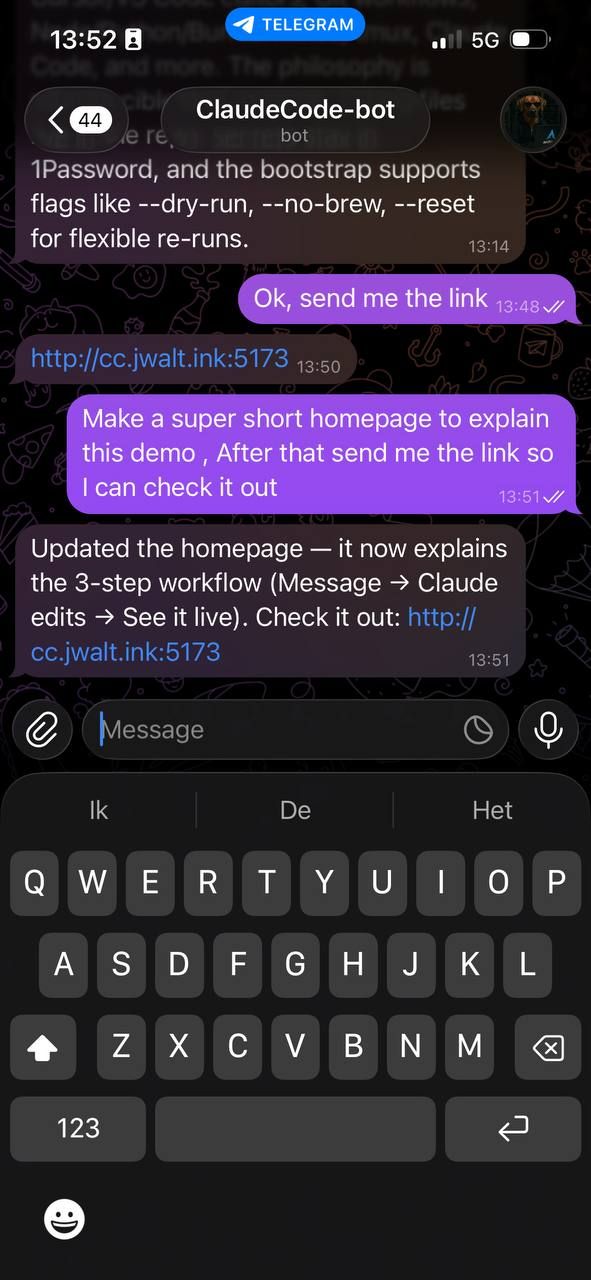
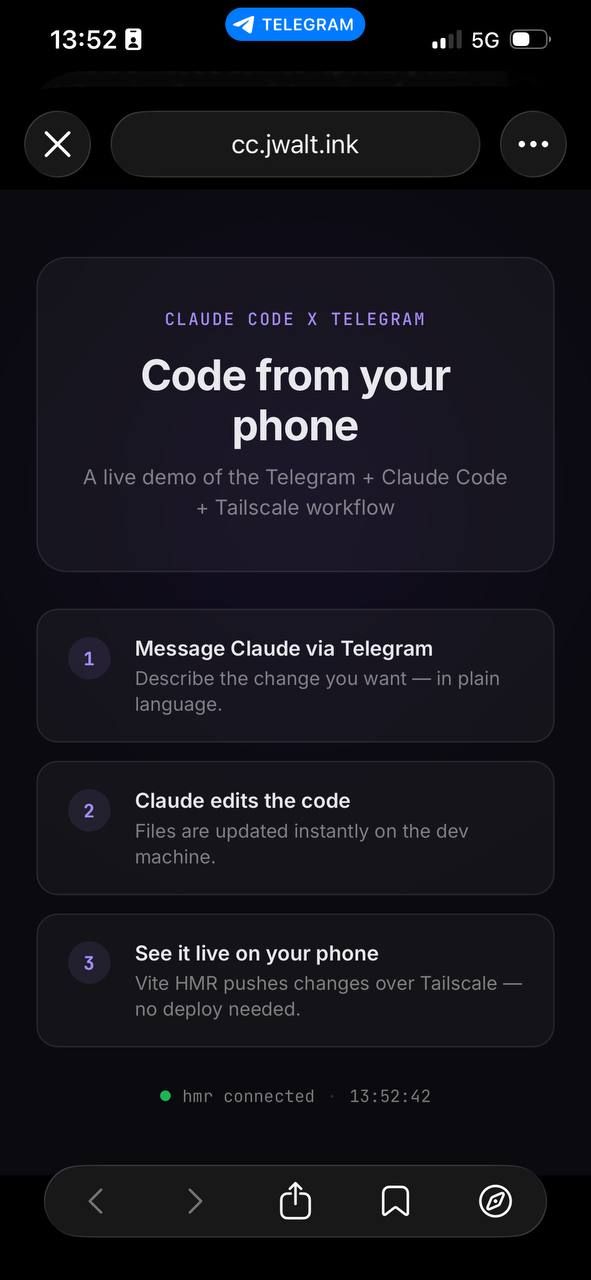
The Telegram conversation and the website Claude built from it, served over Tailscale.
## The Pieces
**[Tailscale](https://tailscale.com)** is what makes this possible without exposing anything to the public internet. Both devices join the same tailnet, and my phone can reach the MacBook's Vite server at its Tailscale IP.[^2] The connection is encrypted over WireGuard, even though the browser shows "Not Secure" because there is no TLS certificate involved. If you want a cleaner URL, you can point a DNS A record at your Tailscale IP or use Tailscale's built-in MagicDNS.
**Claude Code Channels** recently shipped as a [research preview](https://code.claude.com/docs/en/channels-reference): a plugin architecture that connects external messaging platforms to a running Claude Code session.[^3] Telegram and Discord are the first two. You start it with:
```bash
claude --channels plugin:telegram@claude-plugins-official
```
That is it. Claude connects to your bot, and every message you send becomes a prompt. Telegram gives you the input channel, Vite gives you the output channel. Together they close a feedback loop where you direct code changes and see results without touching your laptop.
## From Experiment to Infrastructure
The experiment worked well enough that I immediately wanted more. The obvious limitation: when Claude Code exits, the Telegram connection dies. I wanted persistent sessions, one per project, that I could start and forget about.
So I built `ccbot`, a small zsh function that wraps Claude Code sessions in [tmux](https://github.com/tmux/tmux). Each project gets a detached tmux session named `cc-`, its own Telegram bot, and the bot token is pulled from 1Password at startup.[^4] Touch ID authorizes the token fetch, and the session is up.
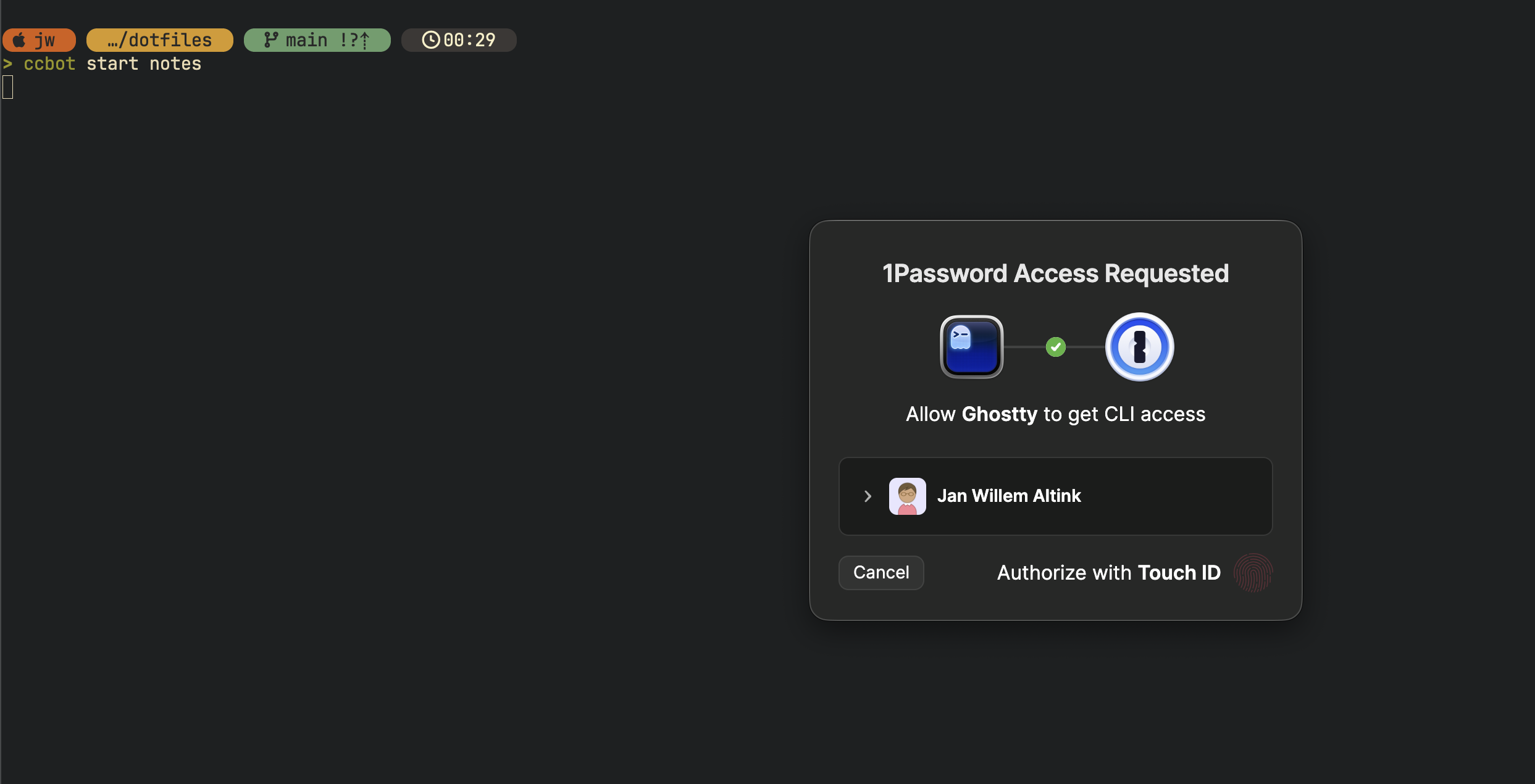
Running `ccbot start notes`. 1Password prompts for Touch ID before handing over the bot token.
```bash
ccbot start dotfiles # starts cc-dotfiles in tmux
ccbot start website # starts cc-website in tmux
ccbot list # shows running sessions
ccbot stop all # tears everything down
```
Under the hood, `ccbot start ` resolves the project to a directory, fetches the bot token from `op://Personal/CCBOT_/password`, and launches Claude Code in a detached tmux session with the Telegram channel plugin.[^5]
```bash
tmux new-session -d -s "cc-$name" -c "$dir"
tmux send-keys -t "cc-$name" \
"TELEGRAM_BOT_TOKEN='$token' claude --dangerously-skip-permissions \
--channels plugin:telegram@claude-plugins-official" Enter
```
I added zsh tab completion for the project names and session names, so `ccbot start ` shows all available projects and `ccbot stop ` shows running sessions.
The result: I can spin up Claude Code sessions for any of my projects, each connected to its own Telegram bot, and interact with them from my phone over a secure Tailscale tunnel. The sessions persist until I stop them or the MacBook sleeps. The full `ccbot` setup is in my [dotfiles](https://github.com/jwa91/dotfiles).
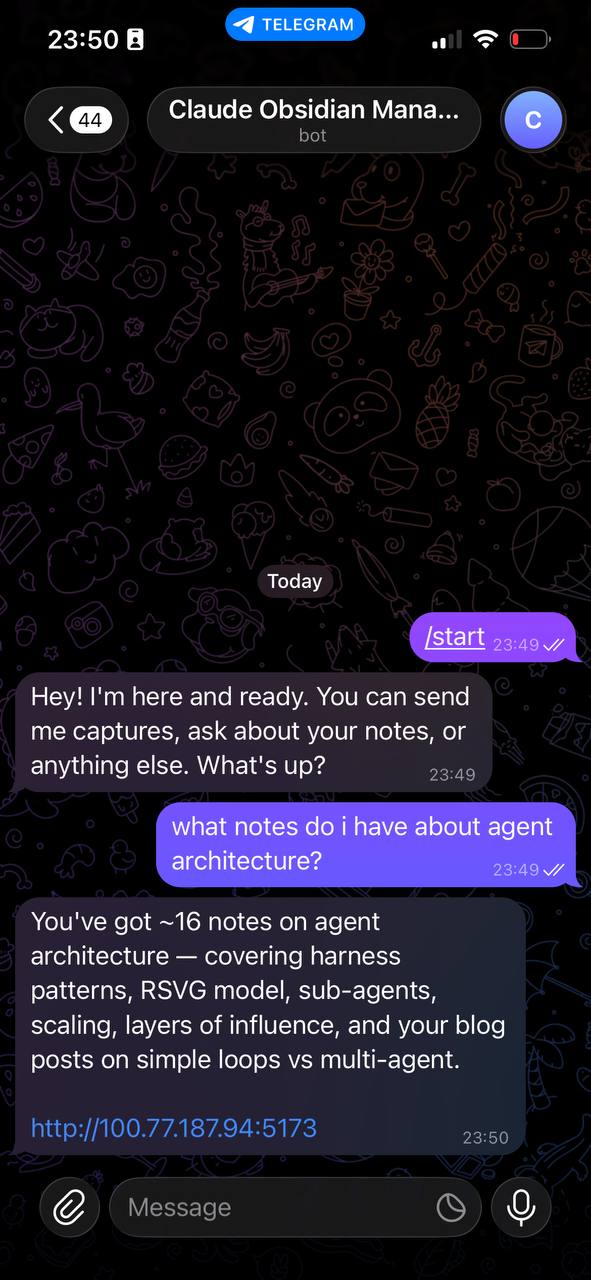
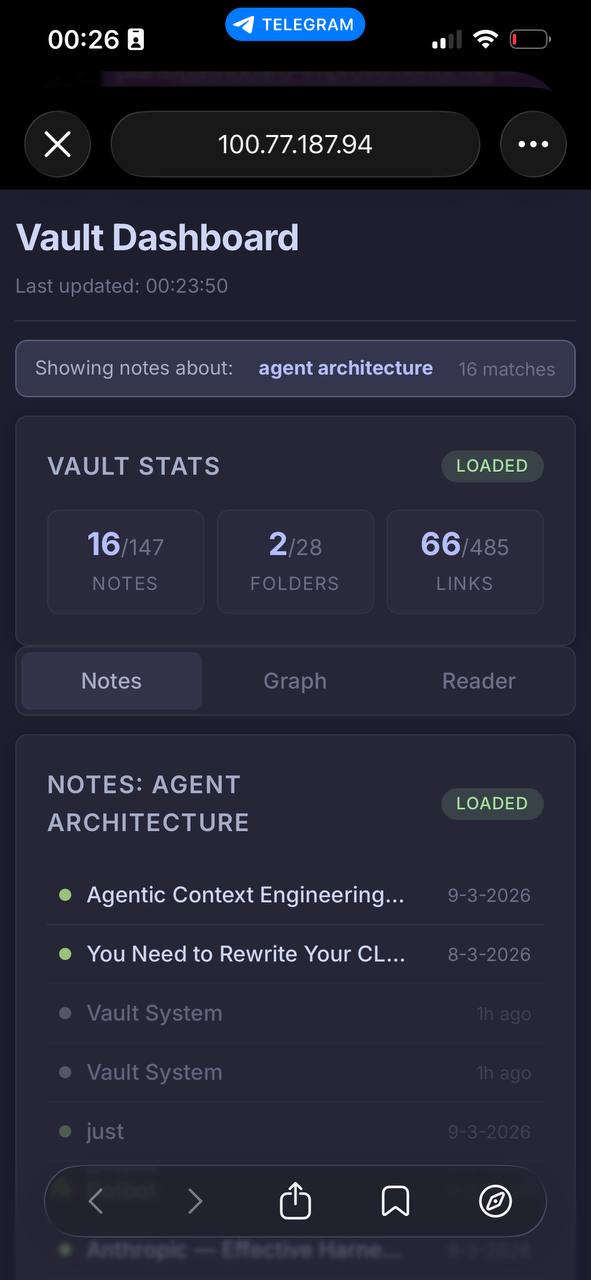
Asking the notes bot about agent architecture. Claude searches the Obsidian vault and renders a dashboard over Tailscale.
## The Experience
This is not a setup I would use for an entire day of focused coding. You lose the precision of a real editor, the ability to review diffs, the ergonomics of a keyboard. But that is not the point. The point is that I can plan out a longer running task for Claude Code, grab my phone, and take my [dog](https://www.instagram.com/laika_ridgeback) for a walk in the forest while still keeping an eye on progress via Telegram. When something needs input, I reply from my phone.
I never really liked the term "vibe coding." For a long time it still meant sitting behind your laptop, babysitting the model. But with a Tailscale tunnel giving you a safe, encrypted view of your dev server and Telegram giving you a direct line to Claude Code, you can genuinely work from anywhere. With summer coming up, I can see myself on a terrace somewhere, enjoying the sun while building something from my phone. Maybe the term is starting to earn itself.
## Try It
For a quick taste of the basic Telegram + Tailscale loop, I put together a minimal demo: [github.com/jwa91/tailscale-demo](https://github.com/jwa91/tailscale-demo). Clone it, add your Tailscale IP to `.env`, run `pnpm dev`, and start Claude with the Telegram plugin. Open the Vite URL on your phone and start chatting.
For the full `ccbot` setup with tmux persistence, 1Password token management, and tab completion, check my [dotfiles](https://github.com/jwa91/dotfiles).
\- Jan Willem
[^2]: Tailscale is a mesh VPN built on WireGuard. It handles key exchange and NAT traversal automatically, so devices can find each other without opening ports or configuring a router.
[^3]: Channels use MCP under the hood. The Telegram plugin runs as an MCP server that wraps incoming messages as channel events and pushes them into your session. When you start it, your bot sends a 6-character pairing code to verify the connection.
[^4]: Each project needs its own Telegram bot because the Channels plugin binds to a single bot token per session. Creating bots is quick via BotFather, and storing the tokens in 1Password keeps them out of dotfiles and shell history.
[^5]: The `--dangerously-skip-permissions` flag is necessary because there is no terminal to approve tool calls interactively. This is fine for personal projects on a local machine behind Tailscale, but obviously not something you would use in a shared or production environment.